Free calendar templates – design online or download
You’d like to Calendar Want to have something printed, but don’t want the hassle of entering the individual tables and data step by step? A ready-made calendar would be great? But wouldn’t it be even better if you could edit it yourself? Then let us introduce you to our Free calendars and layout templates in Online designer or available for download We highly recommend them. You can find out how they work and what benefits they offer here.
Calendar templates in our online designer
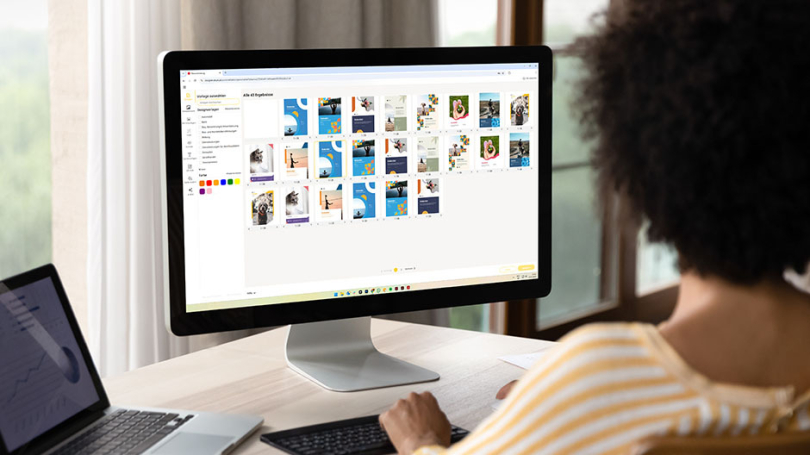
Once you’ve selected your preferred calendar, you’ll find the option to design your calendar online under ‘Print data & designs’. In our online designer, you can choose between different layout templates and calendar formats. Within the designer, you can customise all elements of the template, as well as the calendar layout, to suit your preferences. You can also add events and public holidays. Take a look at our tutorial and discover all the possibilities!
Here’s how it works:
Free calendar templates to download
Our calendar templates have been specially designed for you by our druck.de Created by the graphics team. In the free download pack, you’ll find all the templates for your chosen calendar design as Adobe InDesign and Corel Draw files, as well as PDFs. The InDesign document in particular offers a wide range of customisation options that allow you to personalise your calendar with ease. You’ll find more details on this below. You can, of course, also use the PDF file in other programmes such as Adobe Photoshop, Illustrator or similar. Whichever file format you use, you’ll always find a complete and ready-to-use calendar layout. Naturally, these are already adapted to our printing specifications, ensuring a hassle-free printing process!
Click here for the templates
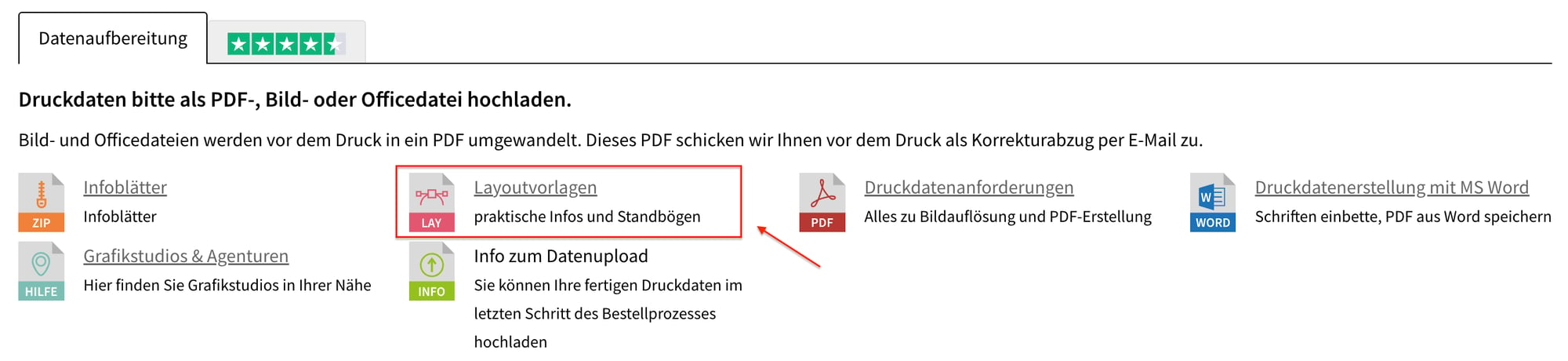
Simply select your preferred calendar, choose the version you want, and you’ll be taken to your calendar’s product page. At the very bottom, you’ll then find the ‘Data Preparation / Downloads’ tab, in which a ZIP folder “Layout templates” (see image below). Simply download it and you’re ready to start designing!
Endless design possibilities
After downloading, you’ll now have a folder containing various file formats, and depending on which calendar you’re interested in, you’ll also find calendar tables with different designs inside. More information on this is provided below. But whichever calendar you choose, you no longer need to worry about creating tables, sourcing data or entering public holidays. You can focus entirely on the design! Using a programme of your choice, you can customise the calendar with your desired design. For example, adapt the design to match your corporate identity and insert your logo and images. If you use our Adobe InDesign file and customise your calendar using this programme, the design options are even more flexible and straightforward.
Calendar templates in Adobe InDesign
Our graphics team has set up a few presets in the InDesign template to help you easily customise the design to your liking:
- Colours: Prefer to mark public holidays in pink? No problem! Simply change the colour values for dates, days, public holidays etc. in the pre-set colour fields to give the whole calendar your chosen colours.
- Font & size: You can also change the font and font size with just one click using the character formatting function. These settings are also applied immediately across the entire calendar.
- Sample page: If you edit the so-called ‘template page’ and add, for example, your logo, contact details or similar, these will be applied to all pages. This ensures that the entire calendar is consistently branded in line with your corporate identity.
- Different table layouts: As mentioned earlier, there may also be different table layouts depending on the type of calendar. For example, in the ZIP folder for our wall calendars, you’ll find a small, single-line table layout, a medium-sized one with name days that can be hidden, and a large layout with fields where you can add notes as required. Here, too, the various design options remain open.
Discover your personalised calendar
Our wide range of calendars offers you a diverse selection of products. From wall and desk calendars to pocket calendars, you’ll find everything to make your calendar-loving heart beat faster. Discover our range now and make use of our calendar templates!